
Notes that can become anything
Capture anything as a note, then keep it free‑form like Apple Notes or add structure when you’re ready—turn it into a task, set a reminder, or organize it into lists. No separate “notes vs todos vs reminders” apps—just one system.
Capture now. Add structure later.
Notes is your unified capture + action system. Anything you write can stay free‑form—or become a task, reminder, or list item when you need it. Connect email and calendar for context so Kivu can suggest what’s next (without turning events or emails into new objects).
Natural-Language Capture
Type or say “Call dentist tomorrow at 2pm” and capture it in Notes—then make it a task or reminder when you’re ready.
Recurring reminders (when an item on a note has a reminder action added)
“Every Tuesday at 9am” or “first Monday of the month”—flexible recurring patterns for reminders.
Link Context (email + events)
Capture next steps in Notes and link back to the relevant email thread or calendar event for full context.
Notes Items on Your Calendar
Optionally overlay Notes items (tasks/reminders) on your calendar and rebalance against busy windows.
Reminders that actually work
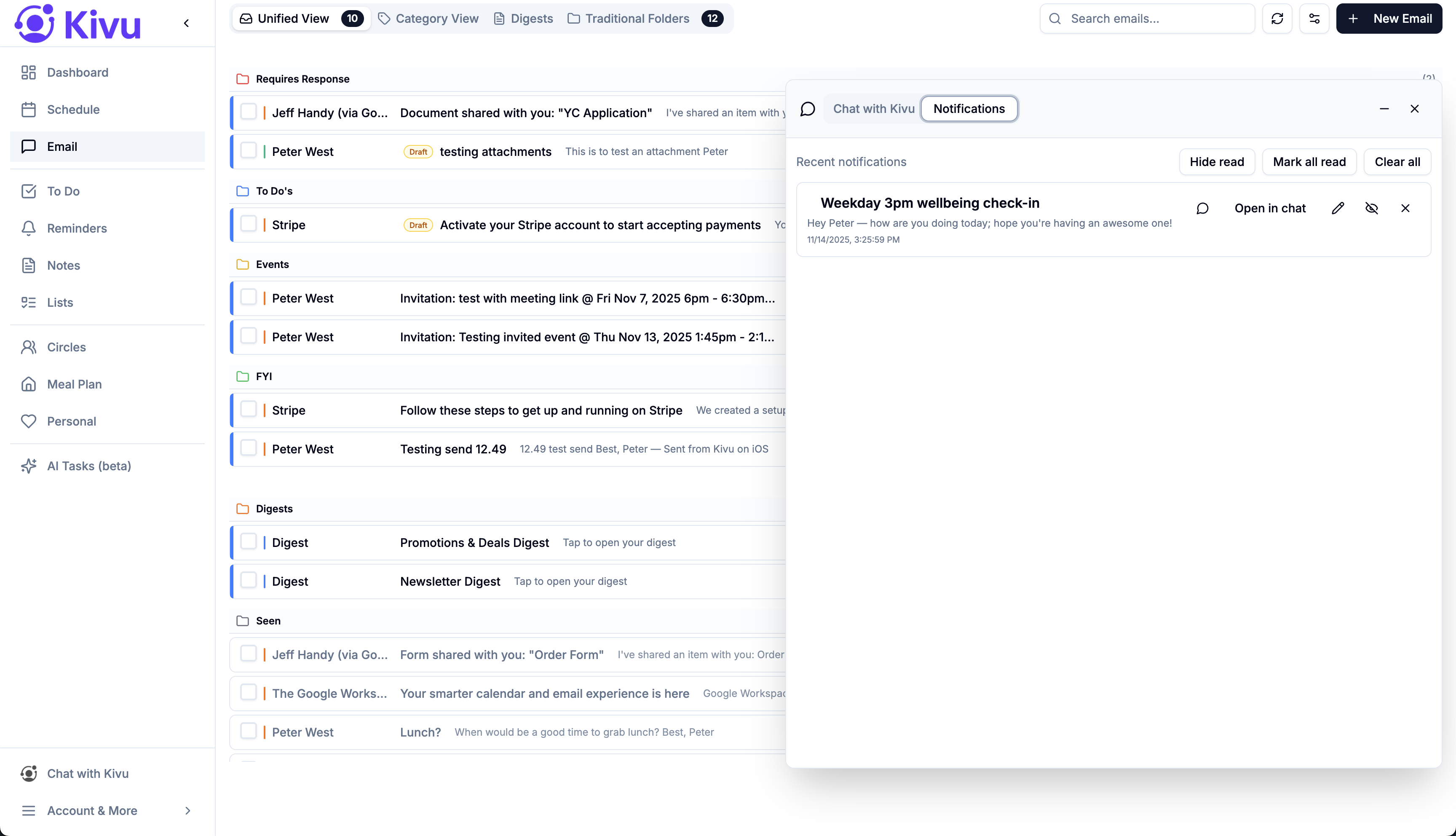
Reminders are just a structured state of a Note. Set recurring reminders with powerful patterns, snooze intelligently, and link back to context so you’re never guessing what something is for.
Recurring reminders
“Every Tuesday at 9am” or “first Monday of the month”—Kivu handles complex schedules.
In-App, Push & Email Notifications
Get notified however you want, including missed and due handling.
Link to Events, Emails, or Notes
Tap a reminder and instantly see the relevant event, email thread, or project context.
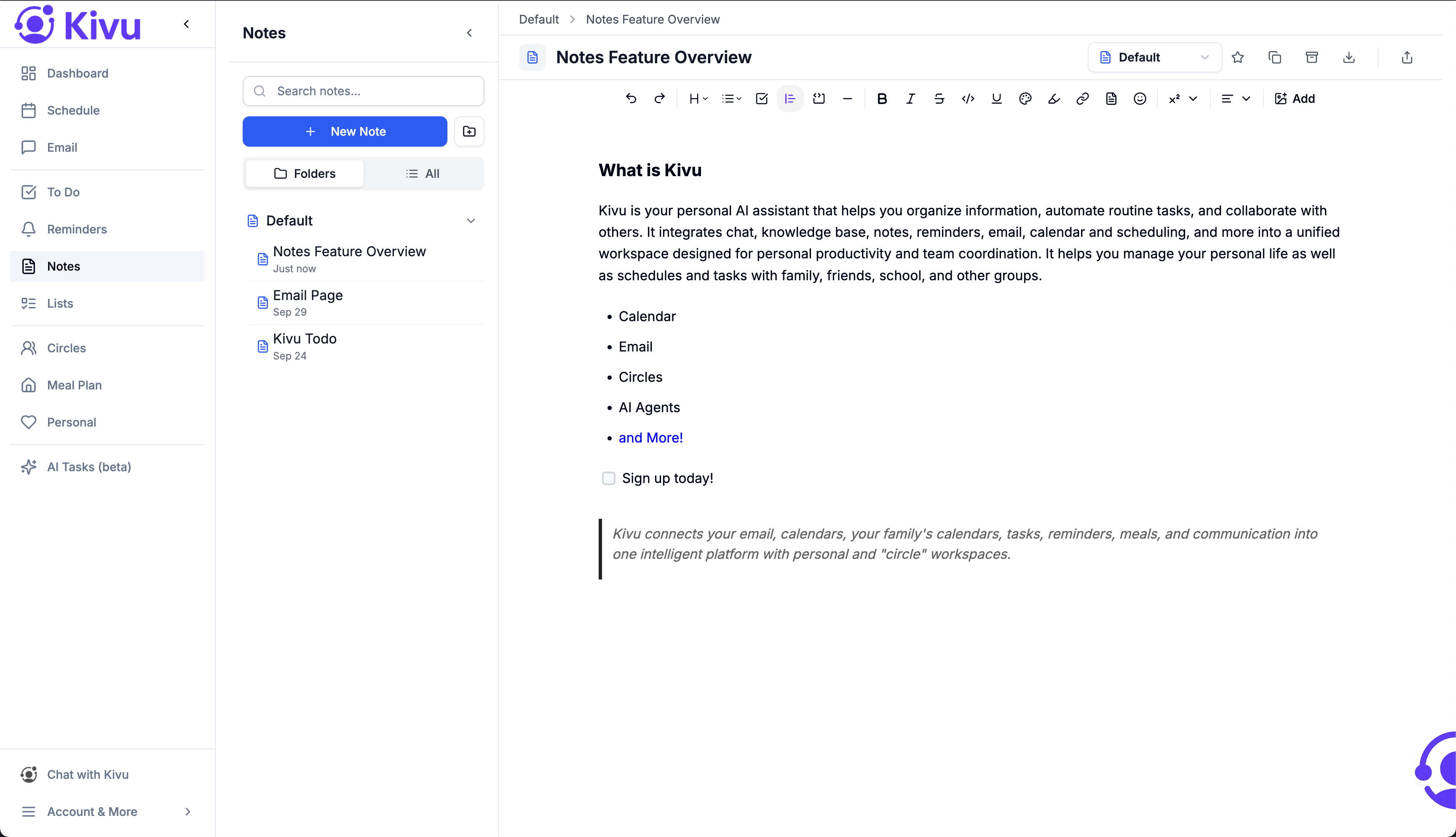
Capture free‑form (like Apple Notes)
Write naturally—messy brainstorms, meeting notes, family plans, or a grocery thought. Keep it simple, or add structure when you’re ready.
Free‑form by default
Paragraphs, lists, checkboxes—capture the way you naturally think.
Turn notes into action
Any line can become a task, reminder, or checklist item—without moving it to another app.
Lists (from Notes)
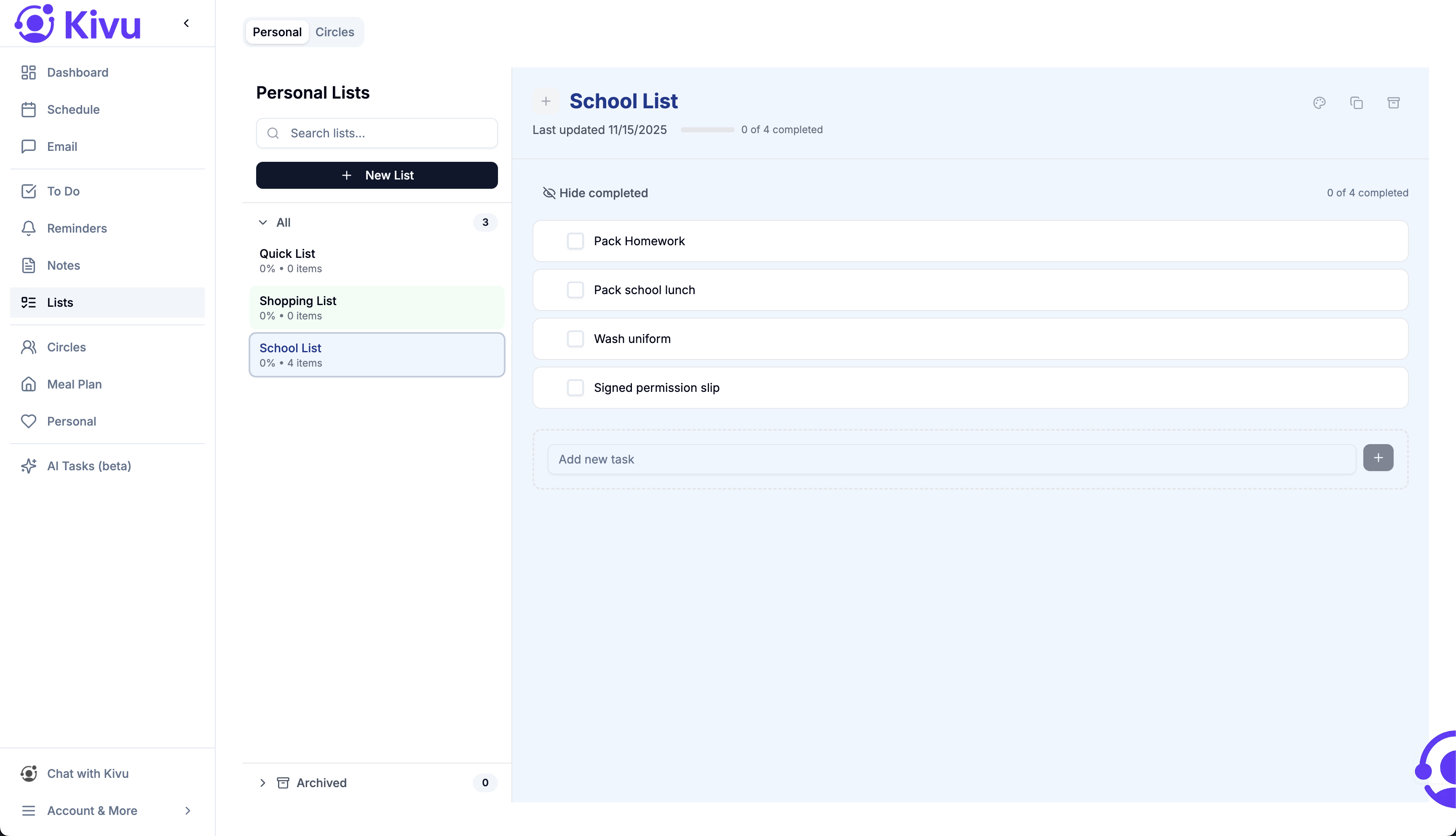
Notes can contain lists—and when you want, you can track lists separately in a dedicated view. Same content, different lens.
Quick checklists
Shopping lists, packing lists, gift ideas—simple and fast.
Share with Circles
Share a list to a Circle so everyone can add items and check things off together.
AI Memory + Proactive Suggestions
Kivu uses your Notes, your Circles, and connected context (like email and calendar) to surface what matters now—without noisy notifications.
“You have 30 minutes before your next meeting”
AI suggests 2–3 Notes items you can knock out right now.
“Here’s what’s time‑sensitive this week”
A daily digest of what needs attention and when you actually have time for it.
“This has been sitting for a while”
Gentle nudges on stale items so nothing slips through the cracks.
See it in action
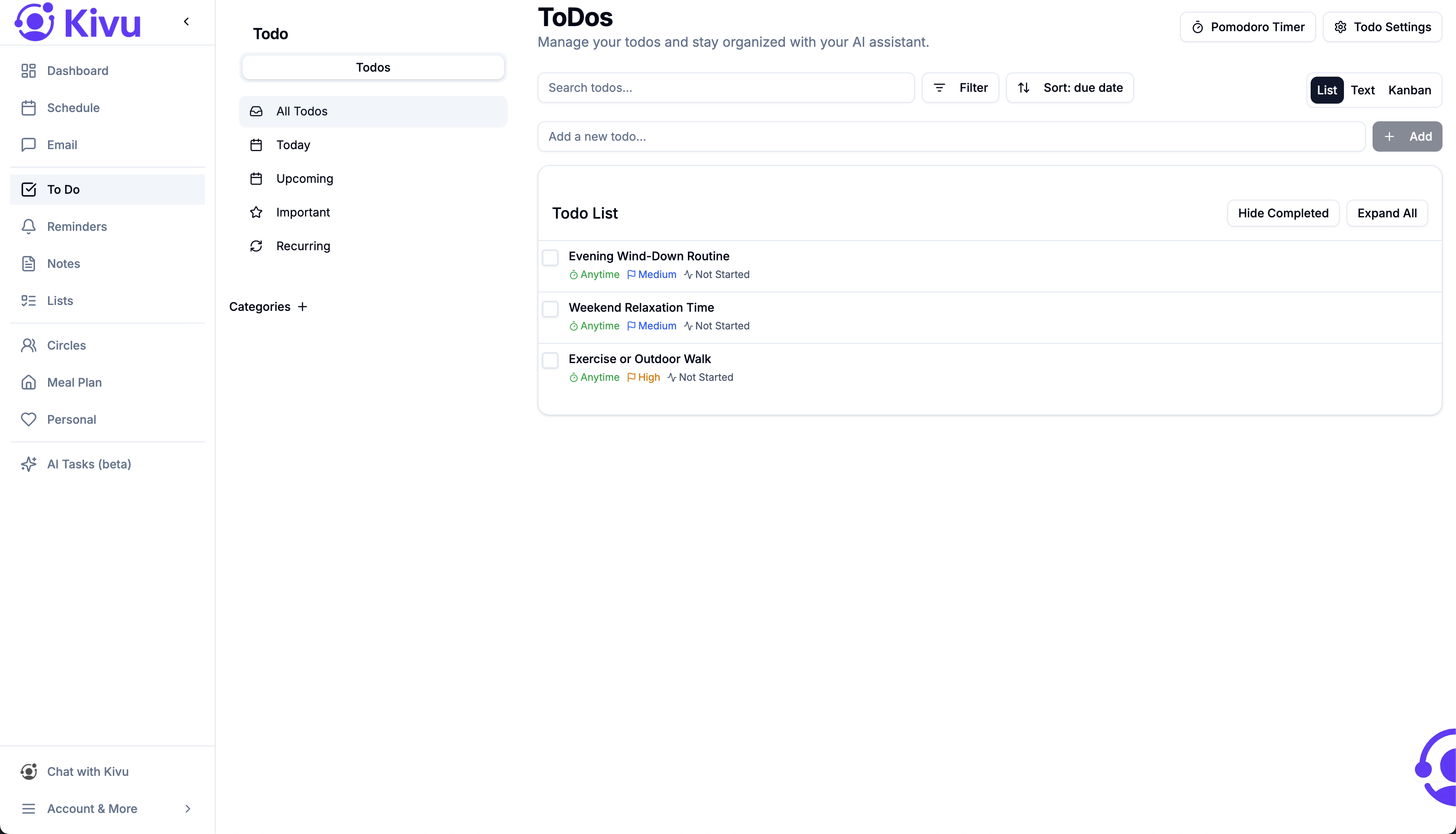
Turn notes into tasks
Capture fast, then add structure when you need it.
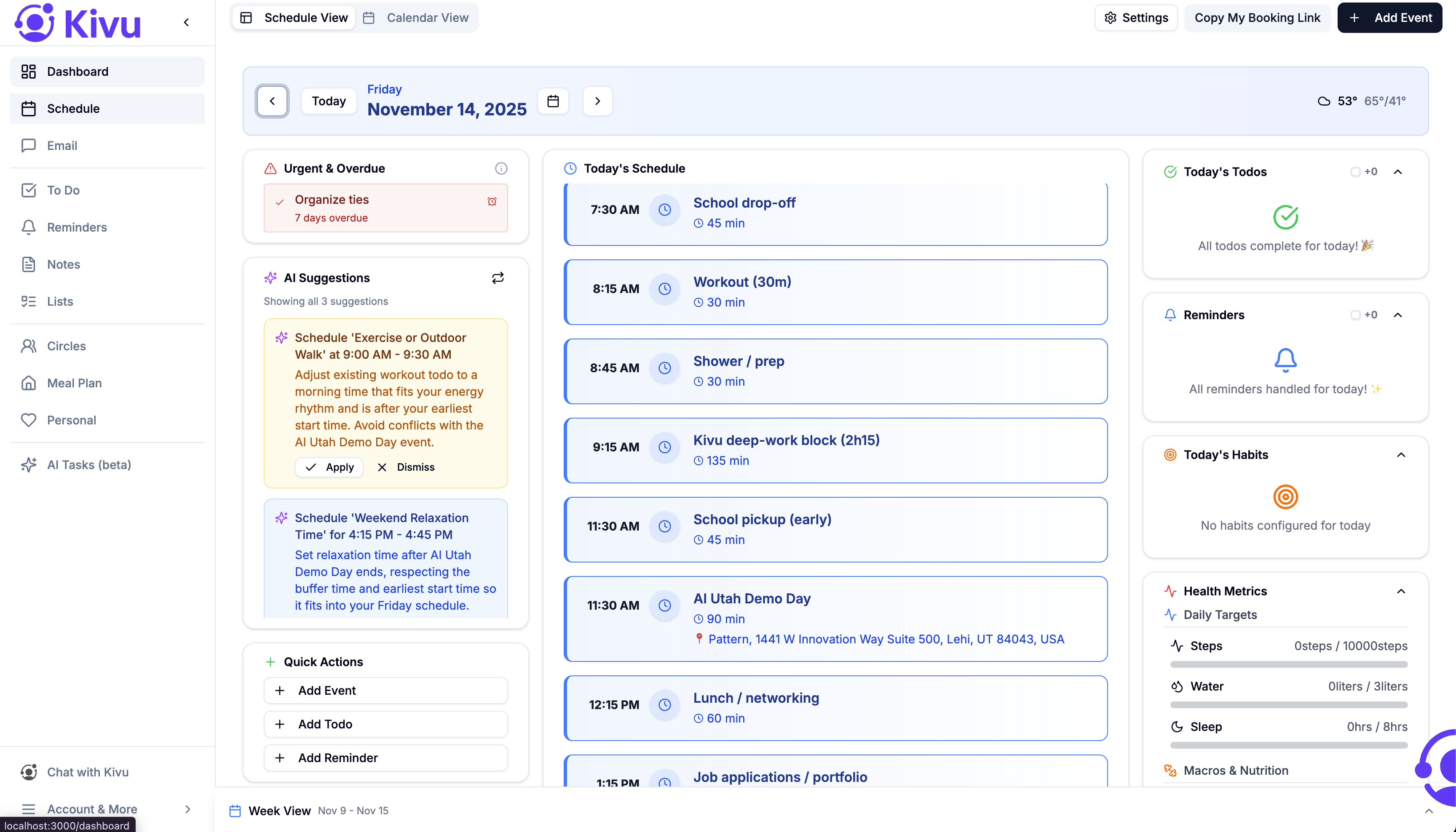
Notes items on your calendar
See tasks/reminders alongside events—balance work against availability.
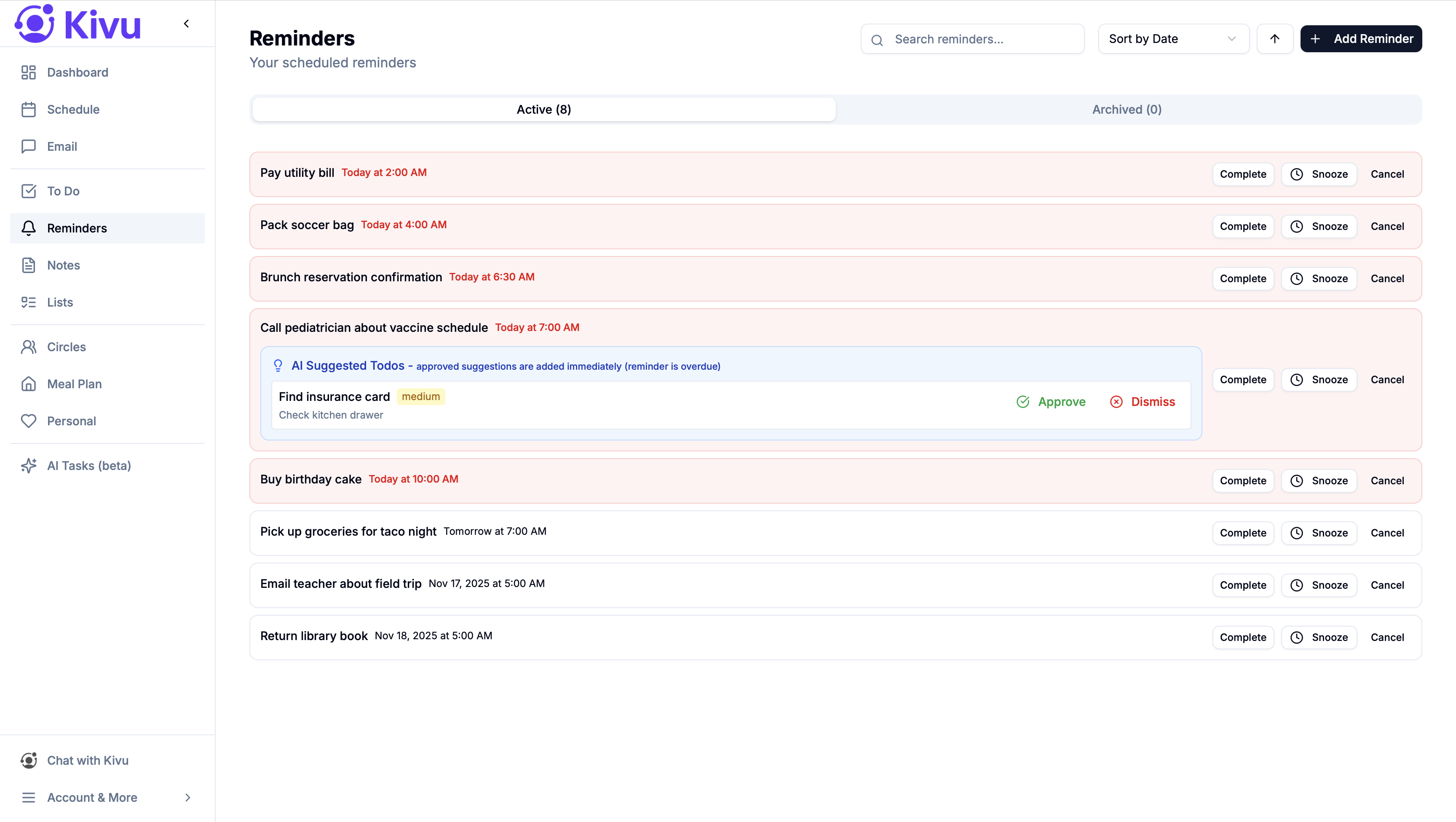
Reminders (from Notes)
Snooze intelligently or link to context for full clarity.
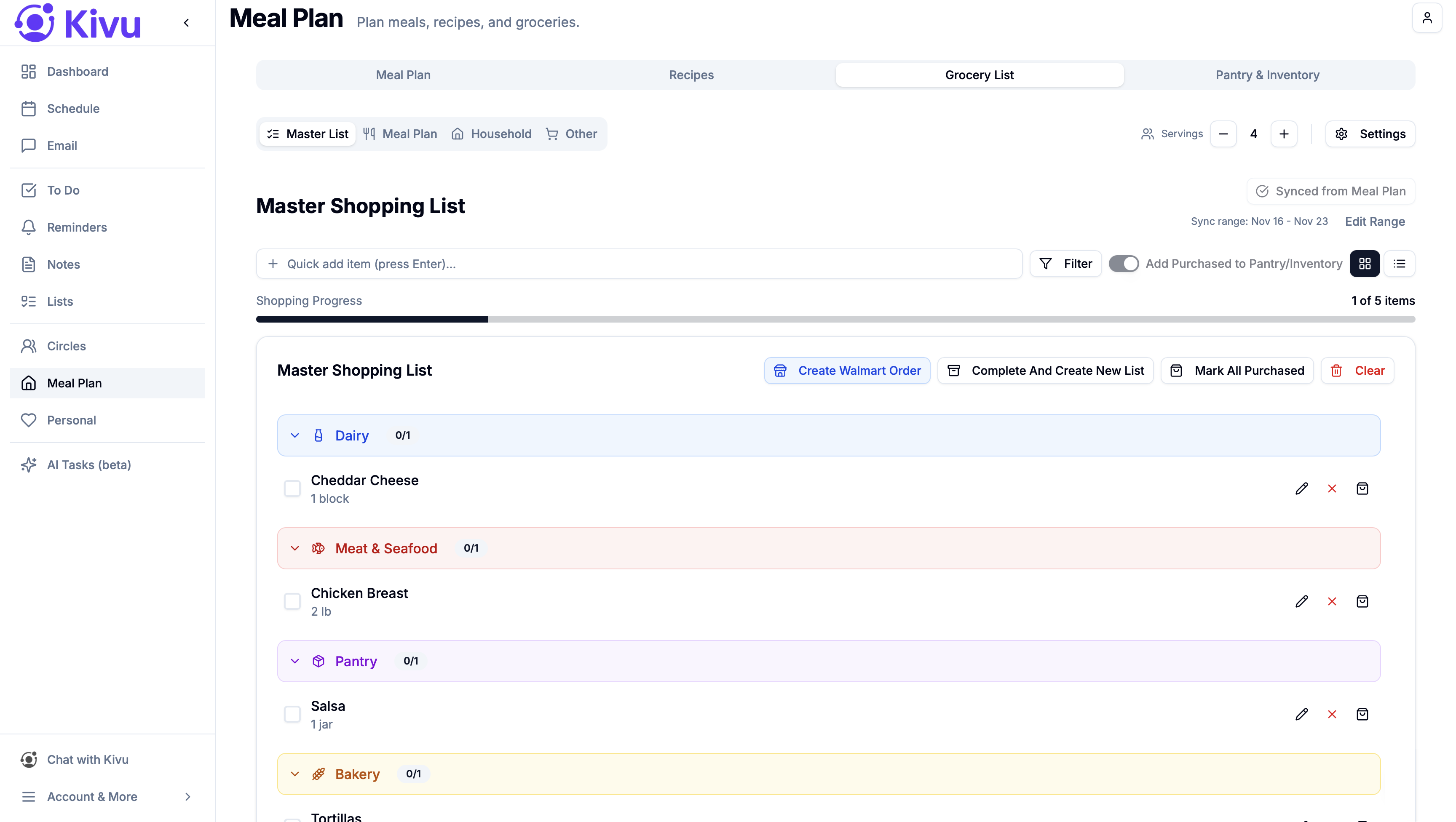
Shared checklists
Groceries, packing, chores—collaborate in real time inside a Circle.