Family & Group Workspaces

One Workspace for Everyone That Matters

Circles are shared spaces for groups of people—your family, household, friends, or team. Bring the people together first, then share what matters: calendars, shared Notes, and updates—plus a private Circle Feed so everyone can catch up fast.

Unified Shared Spaces

Create Circles for your family, friends, teams, or any group. Everything they need—calendars, shared Notes, plans, and updates—lives in one intelligent workspace.

  • Shared Calendars & Notes

    Everyone sees the same schedule and shared Notes—automatically synced with personal calendars.

  • AI-Enhanced Group Chat

    Chat with your Circle or ask AI to manage logistics, send reminders, or summarize plans.

  • Meals, Lists, Travel

    Share meal plans, grocery lists, packing lists, and travel itineraries—all in one place.

Circle Feed

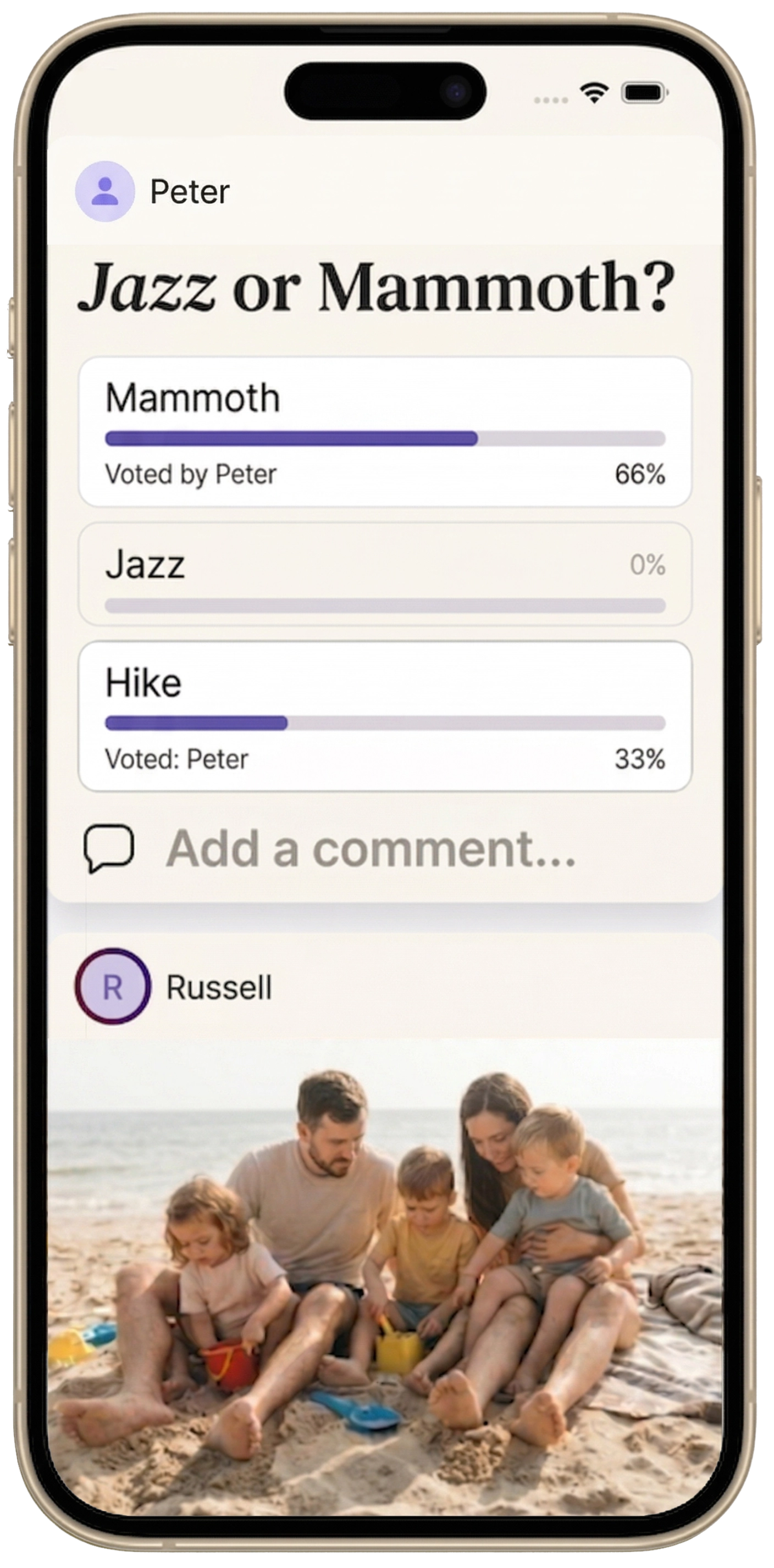
The Circle feed is a private, social‑media‑like feed within a Circle. It’s where your family or group sees what changed—new shared Notes, calendar updates, photos/videos, and decisions—in one scrollable stream.

  • What shows up

    Shared updates, item changes, photos/videos, and important moments—without digging through group texts.

  • Why it matters

    Catch up fast, reduce coordination misses, and keep the group aligned.

  • How AI helps

    Highlights, summaries, “what changed,” and “what’s next” suggestions for the group.

Important

The Circle Feed is an upgrade within Circles—it doesn’t replace chat, calendars, or shared planning. It makes them easier to follow.

Tablet & Wall Display Mode

Optimized for home hubs—mount a tablet in your kitchen, hallway, or office and see your Circle's calendar, Notes, and messages at a glance.

  • Always-On Dashboard

    Clean, large-type view designed for visibility across the room.

  • Everyone Stays Aligned

    No more "when is soccer?" or "what's for dinner?" questions—it's all right there.

Fine-Grained Privacy & Sharing

You control what's shared. Keep personal events private, share only what your Circle needs to see, and manage permissions at every level.

  • Role-Based Access

    Admins, members, or view-only guests—set the right permissions for each person.

  • Selective Sharing

    Personal events stay personal. Only Circle events appear in shared views.

Ask your Circle's AI assistant

Chat with AI about your Circle's schedule, shared Notes, and plans—just like asking a family member.

💬 "What's everyone doing this weekend?"

Get a quick summary of Circle events, shared Notes, and meal plans

📅 "When can we all have dinner together this week?"

AI checks everyone's availability and suggests times

🛒 "Add milk and eggs to the grocery list"

Voice or text—AI updates the shared list instantly

🚗 "Remind everyone about soccer practice tomorrow"

AI sends notifications to all Circle members

Built for Real Life

Circles work the way families and groups actually coordinate.

Family Circle

Soccer schedules, shared Notes, meal plans, chores, and grocery lists—everyone knows what's happening this week.

Friends & Groups

Coordinate trips, plan events, and keep track of shared responsibilities without endless group texts.

Small Teams

Light project management, shared deadlines, and collaborative planning—without enterprise bloat.

See Circles in Action

Unified Calendar View

Personal and Circle events in one clean timeline.

AI-Enhanced Chat

Ask AI to summarize the week or suggest meeting times.

Circle Feed

Scroll updates, decisions, and next steps inside your Circle.

Shared Meals & Lists

Plan dinners and groceries together—everyone can add items.

Travel Planning

Plan family trips with shared itineraries, packing lists, and reservations.

Ready to Bring Your Circle Together?

Join the waitlist to be first in line when Circles launch.